Laser cutting quoting and nesting software
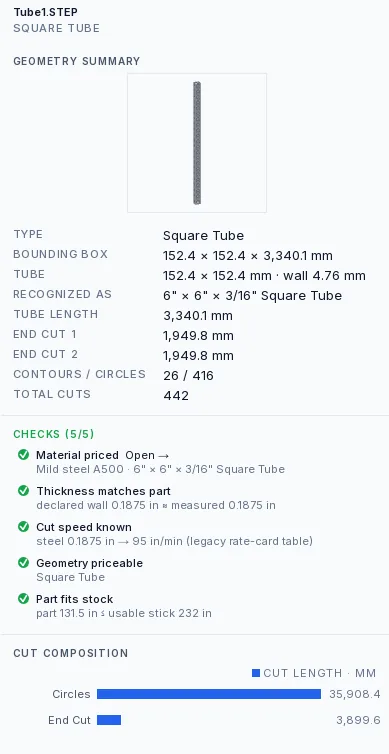
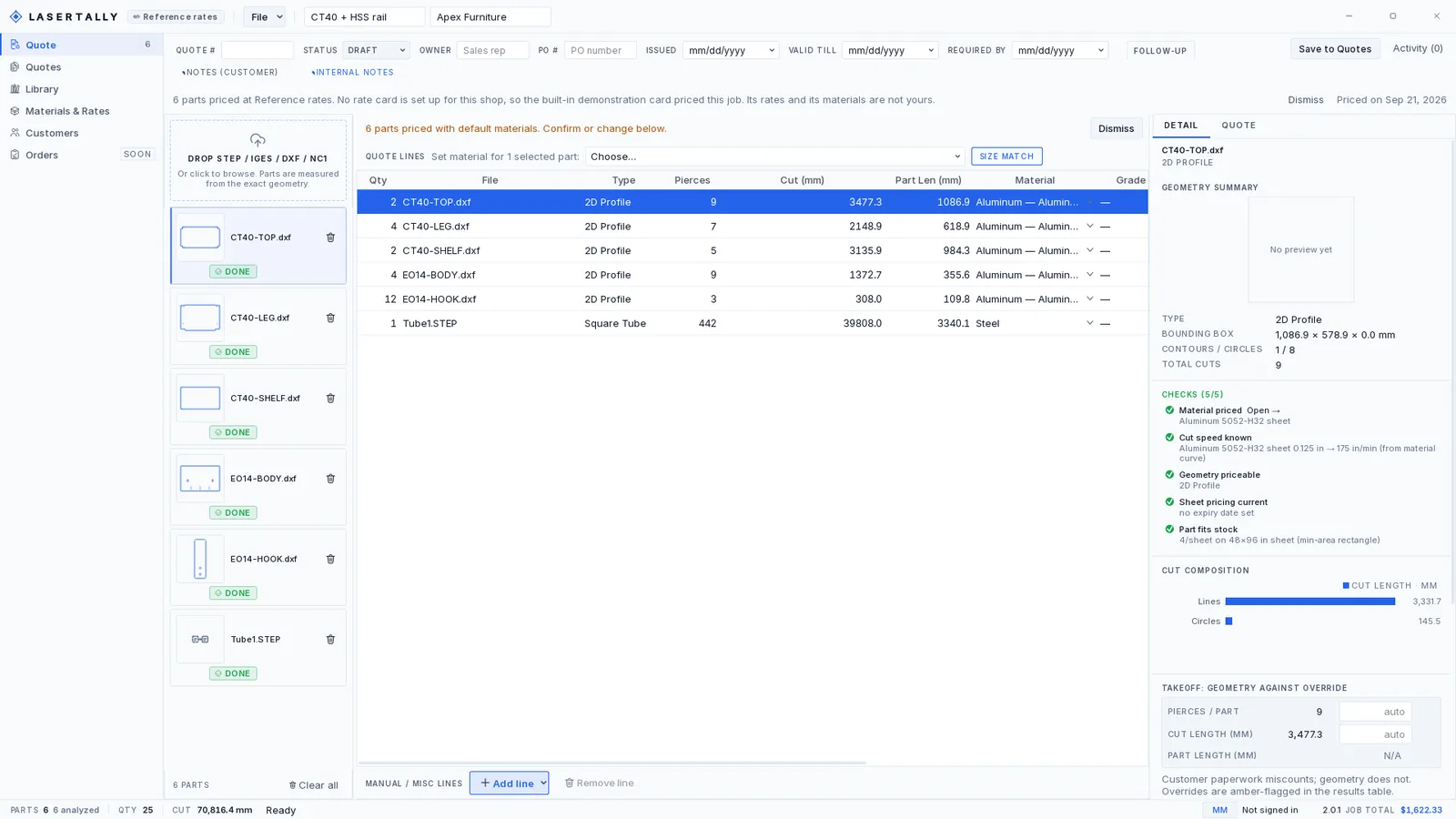
Lasertally is Windows desktop software that quotes laser-cut parts straight from the CAD file. Drop STEP, DXF, IGES or NC1 files in and get a priced, itemized quote in seconds. Pierce counts and cut lengths come from the CAD solid itself, because customer drawings miscount and geometry does not. Win the job and the same file nests itself, on sheet or on tube.
Windows desktop app · quoting engine calibrated to the cent against real shop quotations
Quoting
Lasertally opens the solid, measures it, and prices every operation from what it found. No hand-counting holes off a PDF, no spreadsheet that somebody last updated in 2019.
New in Nest 1.3
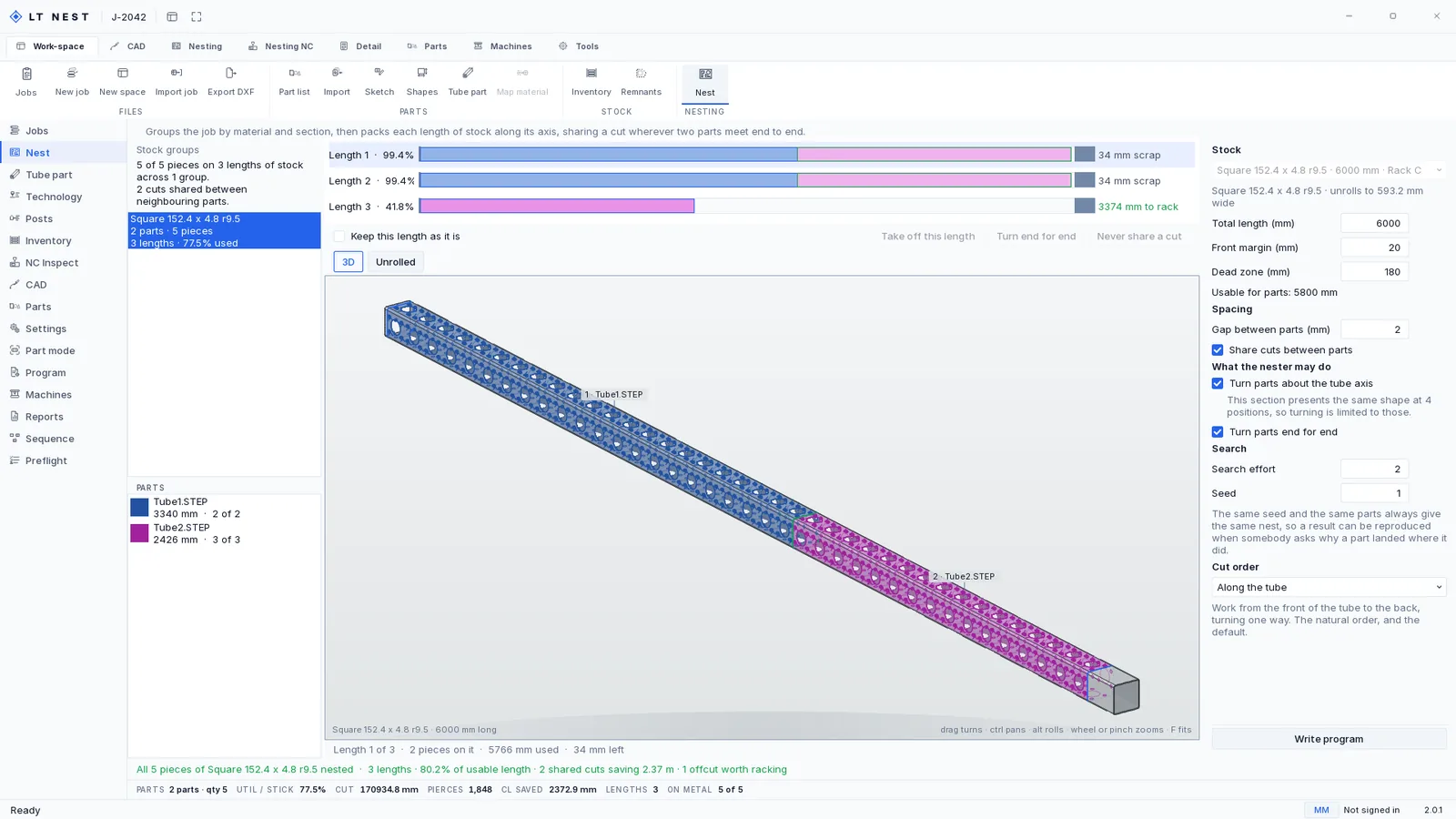
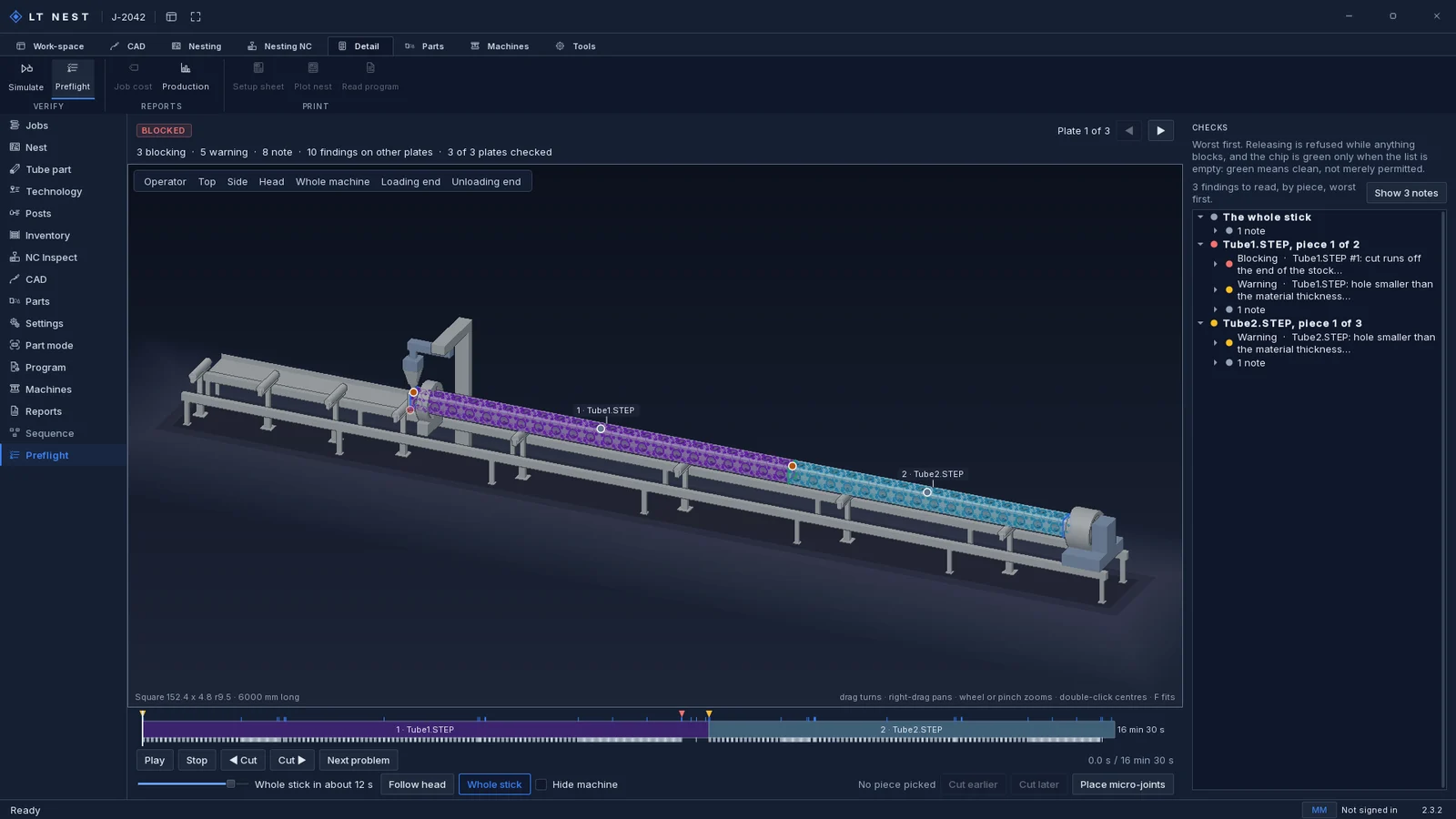
Lasertally Nest packs tube parts onto the stock lengths in your rack and posts the rotary program for them. Tube gets the same lead-ins, kerf compensation, micro joints and cut sequencing it already ran on plate, not a second half-finished engine bolted on beside the first.
Nesting and CAM
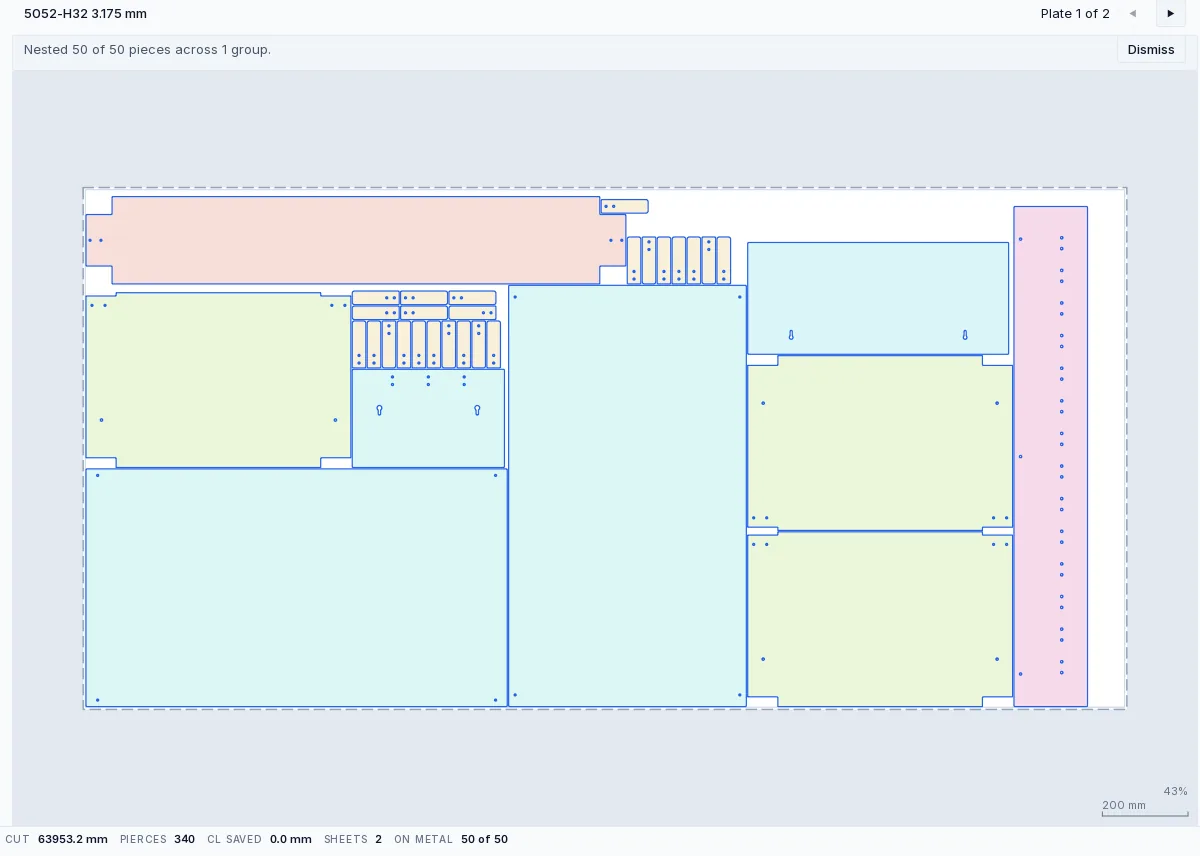
Lasertally Nest takes the quote you already priced and turns it into a cut program: true-shape nesting on your real stock and your real offcuts, cutting technology, lead-ins, kerf, micro joints and sequencing, then a posted program for the machine.
Nests onto the sheets and the offcuts you actually have, oldest first, and reaches for the shortest piece that can still do the job so the rack does not silt up with unusable ends.
Holes before outlines, wraps before end cuts. Once a part is free it can tilt into the head, so the sequence treats that as a rule rather than a preference.
Writing a program draws the stock off the rack once, records it against the job so a re-print cannot draw it twice, and puts the usable leftover back with its own tag.
How it works
Quoting a part in Lasertally takes three steps and about thirty seconds: drop the CAD file in, confirm the material, send the quote.
STEP, DXF, IGES or NC1. Each part is opened and measured on your own machine by the bundled geometry engine.
Pick material and thickness, or let the detected form pick a default and change it in one click. Rates come from your card.
An itemized price with every figure traced to a measurement, ready to save, print or email while the customer is still on the line.
Cloud sync
Your shop's data lives on your machines and syncs through your Lasertally account, so the price a second estimator quotes is the price you would have quoted. Materials, rates, customers, saved quotes and library parts, consistent across every seat and backed up.
Pricing
Every plan is the full product: cloud sync, roles, five seats, unlimited quotes, every CAD format. The only choice is which machine you quote for.
14-day full refund. Email me and I refund it.
Buy, set your password, sign in. Your login is your license and it unlocks the desktop app on your machine. No per-quote fees and no revenue cuts, ever.
Keep-your-version promise: subscribe for 12 months and the version you are running is yours to keep, forever. Your login stays active even if you cancel.
FAQ
There is a free preview account. It takes one email, costs nothing and does not expire. It runs the entire quoting engine on your own files: Lasertally opens your STEP, DXF, IGES or NC1 parts, measures the pierce counts, cut lengths, bends and bounding boxes off the real geometry, and prices them against a rate card you configure. Nothing is a sample file and nothing is simulated.
What preview will not do is export. No quote PDF, no posted program, no nest output. That is the only difference between preview and a plan, and it is why there is no clock on it: you can take as long as you like checking Lasertally against a job you have already quoted by hand. Start a preview account.
Yes. Email hello@lasertally.app within 14 days of your first purchase and you get a full refund, no questions asked. This is written into the terms of service, so it is a commitment rather than a policy that can be quietly withdrawn. Renewal charges may be refunded at our discretion as well.
Your quotes and rate card live in local files on your own machine and stay yours. You do not get locked out either: a lapsed subscription falls back to a preview account, which still opens your files, measures them and prices them, and simply will not export a quote PDF or post a program. And if you have subscribed for 12 months or more, the version you are running becomes yours to keep forever, with your login staying active for it at no charge after you cancel. No cloud quoting tool can offer that, because there is nothing to keep when the tab closes.
Get Lasertally
Lasertally runs on Windows 10 and 11, 64-bit. Pick a plan, set your password, download the app and sign in. Your first quote is minutes away.
Worth knowing before you click: the installer is 209 MB, and you need an account to sign in. A free preview account takes one email and never expires: it runs the whole quoting engine on your own files and just will not export a quote PDF or post a program. A plan turns exports on.
Windows 10 and 11, 64-bit, with an auto-updating installer. macOS and Linux are not supported.